🚗 Tesla Guide and operational manual
Welcome and thank you for booking the Tesla Model 3! Please review the following information to ensure a smooth and enjoyable trip.
🔑 Accessing the Vehicle
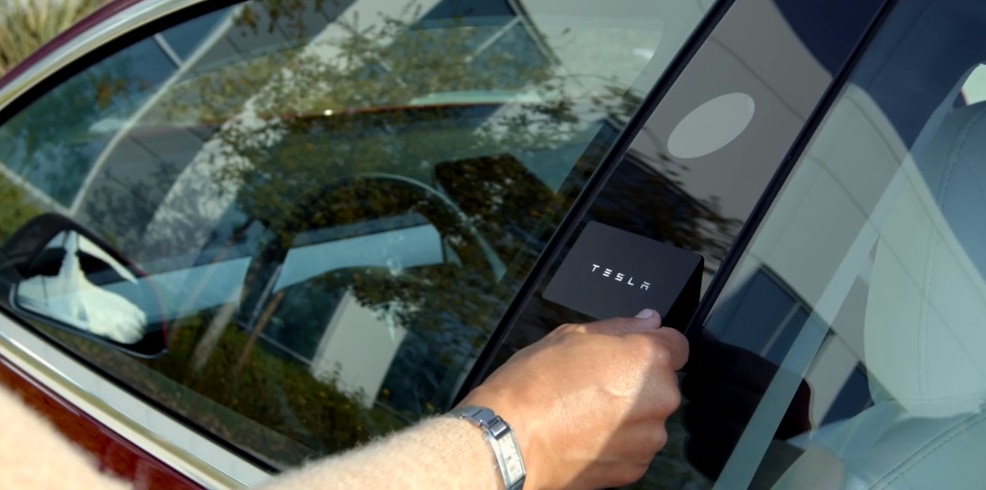
- You will receive a Tesla key card (or remote unlock instructions if using the Tesla app).
- To unlock:
- Tap the key card on the driver-side door pillar (B-pillar).
- Place the key card behind the cup holders to start driving.
- Always keep the key card with you when leaving the vehicle.
🔋 Charging Instructions
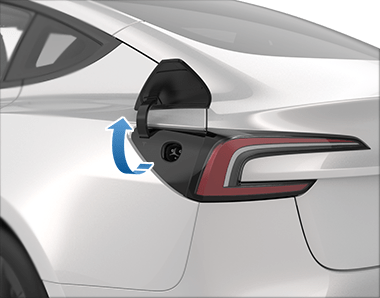

- The car may be returned with the same battery level as pickup (unless otherwise agreed).
- To open the charge port:
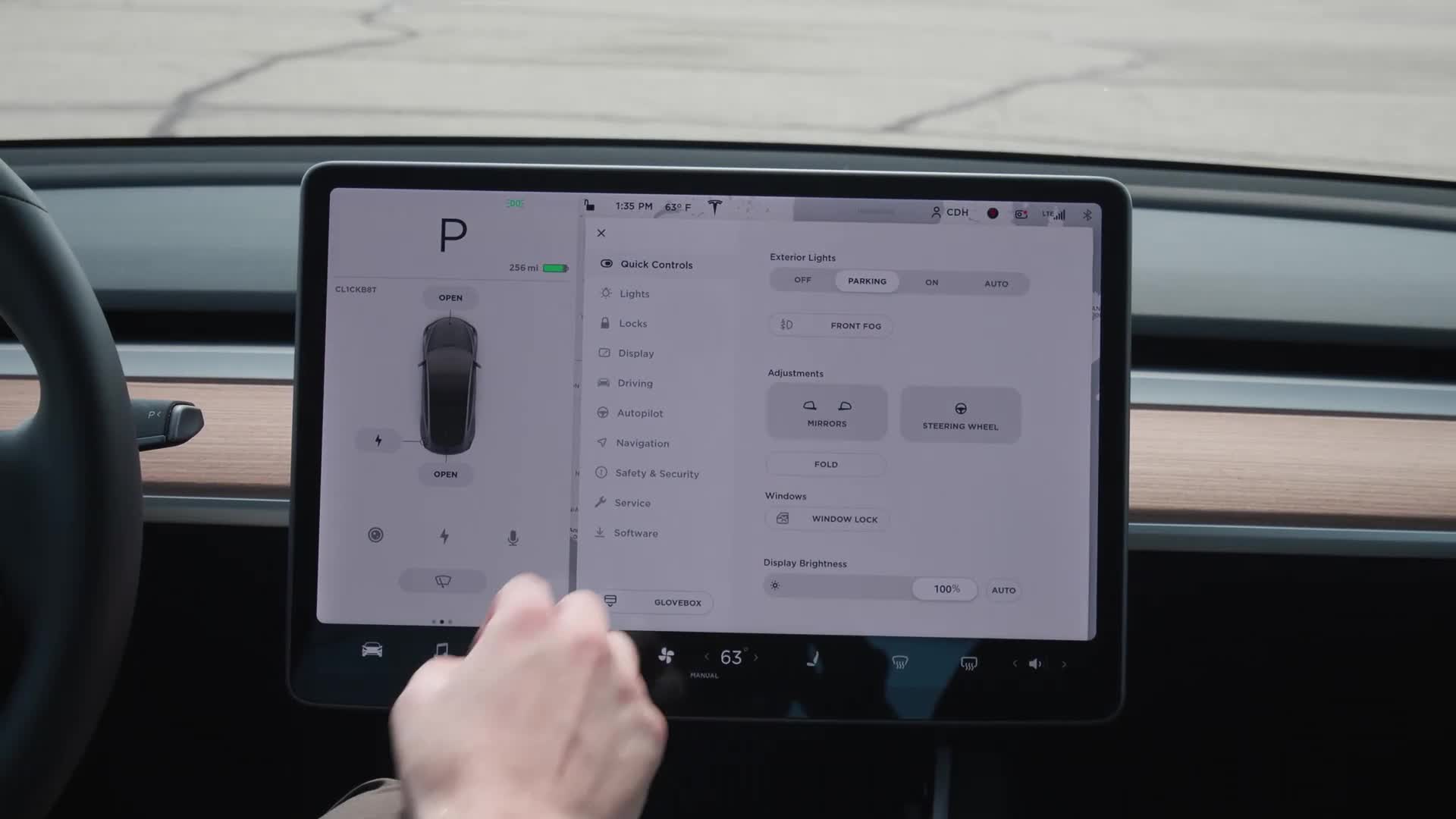
- Tap Controls > Charging > Open Charge Port on the screen
- Or press the button on a Tesla charging handle
- Use:
- Tesla Superchargers (fastest & easiest)
- Compatible Level 2 chargers
💡 Charging costs at Tesla Superchargers will be billed after the trip as it will auto debited from my account. If you use any other Supercharger, you need to pay upfront.
🖥️ Using the Touchscreen
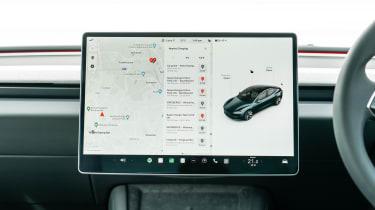
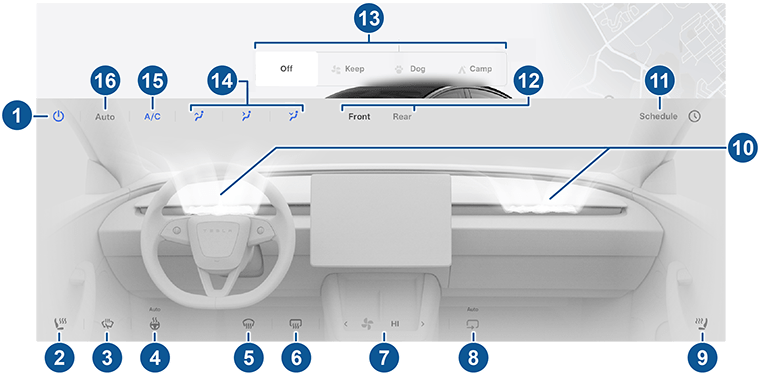
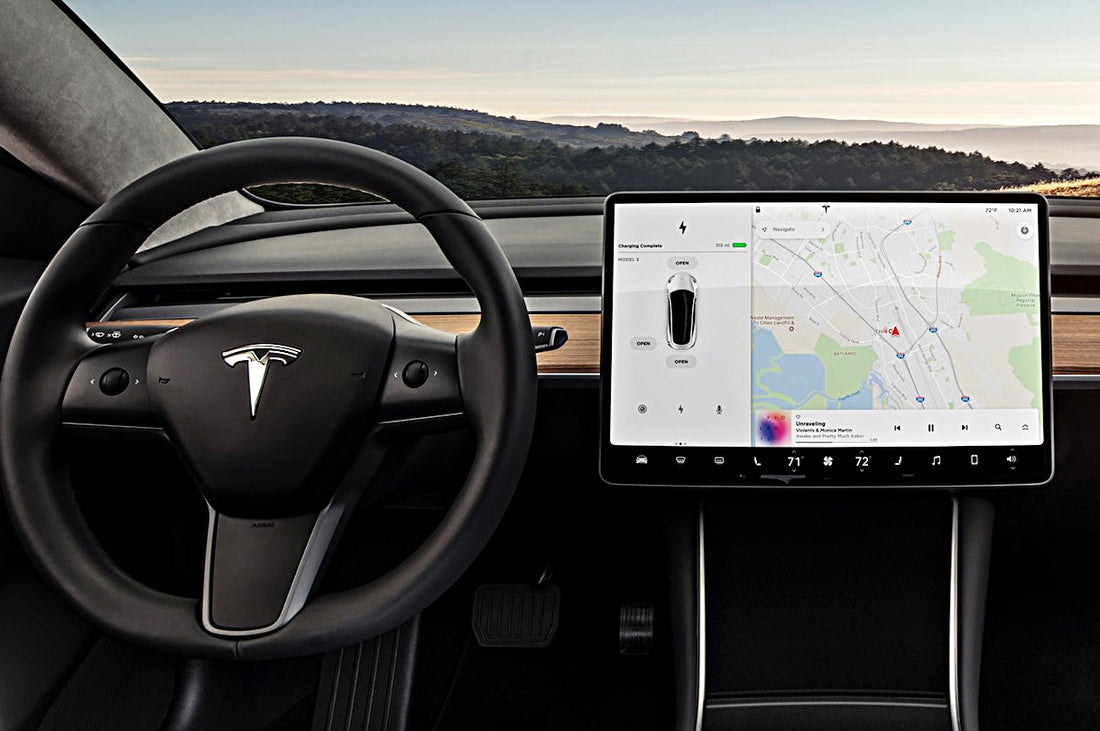

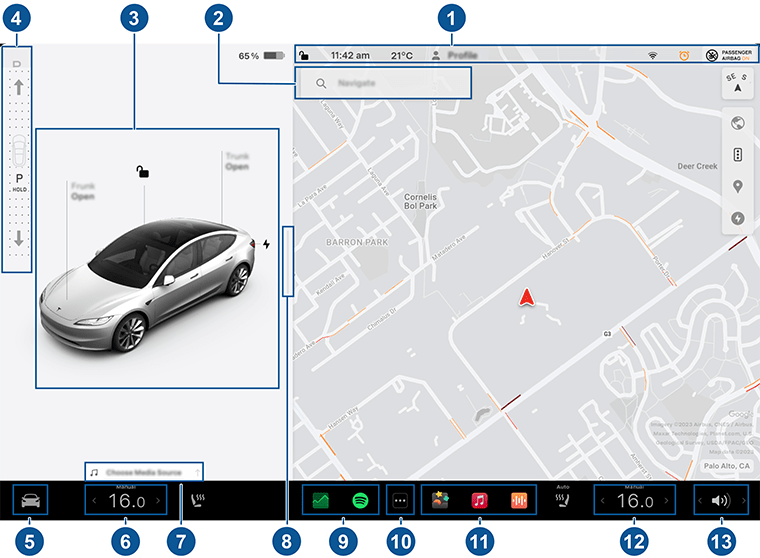
Everything is controlled via the center touchscreen:
- Gear Selection: Use the right steering stalk (up = Reverse, down = Drive)
- Navigation: Enter destination and the car will route to charging stops if needed
- Climate Control: Tap temperature at bottom of screen
- Glovebox: Controls > Glovebox
- Backup Camera: Activates automatically in Reverse
🚘 Driving Tips
- The car is very quick — acceleration is instant.
- Regenerative braking slows the car when you lift off the pedal (one-pedal driving).
- Use Autopilot only if you are comfortable and attentive. You must keep hands on the wheel at all times.
- The vehicle is extremely quiet — please be mindful of pedestrians.
🧼 Vehicle Care & Rules
- 🚭 No smoking or vaping inside the vehicle.
- 🐶 No pets unless pre-approved.
- ⛽ No gas required — this is fully electric.
- 🧽 Please return the vehicle reasonably clean.
- 🚨 You are responsible for tolls, tickets, and charging fees during your trip.
🆘 In Case of Emergency
- For accidents or roadside assistance, contact Turo Support immediately through the app.
- Message me directly in the Turo app for any vehicle-related questions.
Thank you again for your booking!
Enjoy your drive in the Tesla Model 3 ⚡
If you are driving Tesla for the first time, I would recommend to go through this video guide before trip start.
For your safety, trip will get recorded in usb drive inside glove box. If you do not want it recorded, you can unplug drive and leave it in glove box.
Tesla comes with Premium connectivity
🚗 Navigation & Maps
- Live Traffic Visualization – Shows real-time traffic conditions (speed, congestion, incidents) on your route on the map. (electriccartalks.com)
- Satellite-View Maps – High-resolution aerial imagery in the navigation display (more detailed visuals than basic maps). (electriccartalks.com)
🎶 Entertainment
- In-Car Music Streaming – Stream music services (e.g., Spotify, Apple Music, TuneIn, etc.) directly over the car’s data connection without needing Wi-Fi or a phone hotspot. (My Tesla Accessories)
- Video Streaming – Watch video apps like Netflix, YouTube and others while parked. (electriccartalks.com)
- Car-Loaded Internet Browser – Browse the internet through the car’s touchscreen when parked. (My Tesla Accessories)
📸 Security & Remote Features
- Live Sentry Mode Camera View (Remote) – Access a live feed from the car’s cameras using the Tesla app (depending on region and hardware). (electriccartalks.com)
📡 Connectivity & Utility
- Cellular Data Access for All Features – Premium lets you use most connected features anywhere your car has cellular signal, not just on Wi-Fi. (Tesla)
- Enhanced Map / UI Updates Using Data – Certain connected visual and mapping data loads more effectively via the car’s network. (Tesla)
🧠 Additional Notes
- Standard Connectivity, which is free for a period on new vehicles, still includes basic navigation, Bluetooth, OTA updates, and limited streaming when on Wi-Fi. (Tesla)
- Premium Connectivity doesn’t affect Autopilot/Full Self-Driving features or core vehicle performance — it’s focused on data-driven services and entertainment. (Tesla)
Here’s a clear comparison table showing the key differences between Tesla Standard Connectivity and Premium Connectivity — based on Tesla’s official descriptions and multiple feature breakdowns:
| Feature | Standard Connectivity | Premium Connectivity |
|---|---|---|
| Navigation – basic maps & routing | ✔ Included | ✔ Included |
| Live Traffic Visualization | ❌ Not included | ✔ Included |
| Satellite-View Maps | ❌ Not included | ✔ Included |
| Music Streaming (e.g., Spotify) | ✔ Over Wi-Fi only | ✔ Over cellular + Wi-Fi |
| Video Streaming (Netflix, YouTube, etc.) | ✔ Over Wi-Fi only | ✔ Over cellular + Wi-Fi |
| Internet Browser | ✔ Over Wi-Fi only | ✔ Over cellular + Wi-Fi |
| Caraoke | ✔ Over Wi-Fi only (where supported) | ✔ Over cellular + Wi-Fi |
| Live Sentry Mode Camera View (remote) | ❌ Not included over cellular | ✔ Included (over cellular + Wi-Fi) |
| Music/Video & Apps Use Without Wi-Fi | ❌ You need Wi-Fi or hotspot | ✔ Works anywhere via Tesla cellular connection |
Notes:
- Standard Connectivity is included at no additional cost for a limited period (often 8 years for new vehicles) and provides basic features over Wi-Fi and sometimes Bluetooth.
- Premium Connectivity lets you use all connected features through the car’s cellular data connection, so you don’t need to rely on Wi-Fi or your phone’s hotspot to access streaming, browser, and enhanced map features.
- Some features (like video streaming or certain apps) still require your own subscriptions (e.g., Netflix, Spotify Premium).
🔒 Tesla Sentry Mode


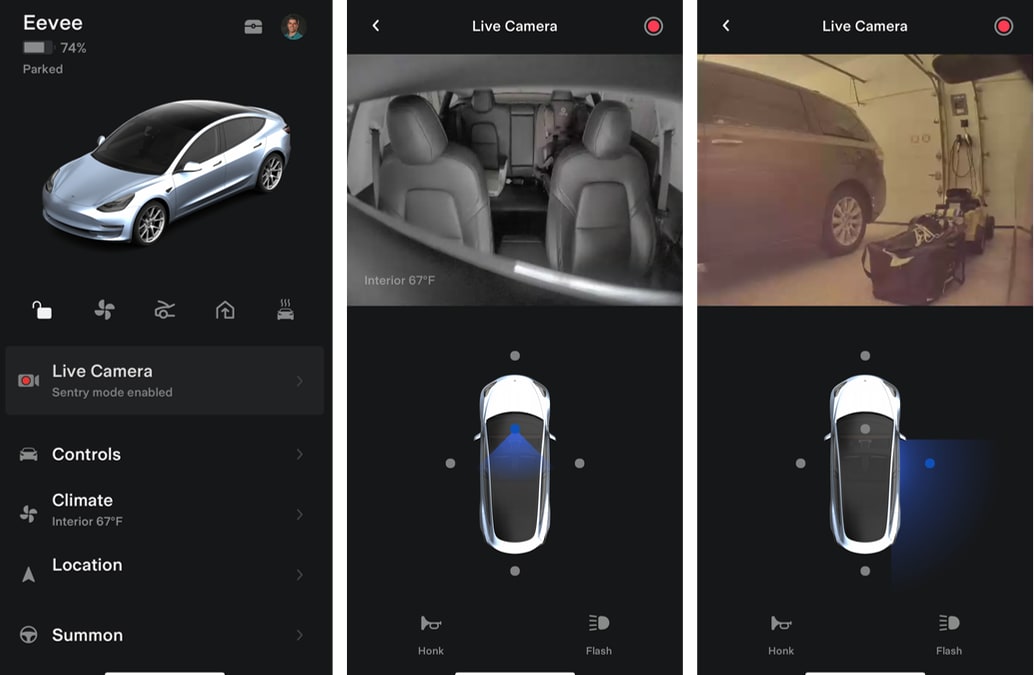

Sentry Mode is a built-in security feature in Tesla vehicles that uses the car’s external cameras and sensors to monitor the surroundings while the vehicle is parked. It acts like an intelligent surveillance system designed to deter theft, vandalism, and suspicious activity.
🚗 How Sentry Mode Works
When enabled, the car enters a standby monitoring state using its external cameras and onboard computer.
It operates in three stages:
1️⃣ Standby
The vehicle continuously monitors activity around it.
2️⃣ Alert State
If someone leans on the car, peers inside, or lingers very close:
- The touchscreen displays a warning message.
- The system prepares to record.
3️⃣ Alarm State
If a serious threat is detected (e.g., window break attempt):
- Alarm activates
- Music may play at high volume
- Headlights flash
- A recording is saved
- The Tesla app sends a notification
📹 What Sentry Mode Records
- Video footage from multiple exterior cameras
- Short clips triggered by suspicious activity
- Clips saved to a USB drive inserted in the vehicle
Recordings are stored in a Sentry folder on the USB device and can be reviewed in-car or on a computer.
📱 Live Camera View (With Premium Connectivity)
With Premium Connectivity, owners can:
- View live camera feeds remotely through the Tesla mobile app
- Speak through the vehicle’s external speaker (on supported models)
- Receive real-time alerts
This feature adds an extra layer of security when you’re away from your car.
⚙️ How to Enable Sentry Mode
You can activate it:
- From the car’s touchscreen
- Through the Tesla mobile app
- Automatically when parked
It can also be set to exclude:
- Home location
- Work location
- Favorite locations
🔋 Does Sentry Mode Drain Battery?
Yes, because it keeps cameras and systems active.
Typical consumption:
- Around 1–2% battery per hour (varies by model and conditions)
Many owners disable it at home to conserve battery.
🚘 Which Tesla Models Have Sentry Mode?
Available on most modern Tesla vehicles including:
- Tesla Model S
- Tesla Model 3
- Tesla Model X
- Tesla Model Y
(Requires vehicles built with the necessary camera hardware.)
🛡 Benefits of Sentry Mode
✔ Helps deter vandalism
✔ Provides video evidence
✔ Remote monitoring capability
✔ Integrated with Tesla app
✔ No external dashcam system required
🚗 1. Basic Autopilot (Standard)
Included as standard on all Tesla vehicles unless otherwise noted.
Core Features:
✔ Traffic-Aware Cruise Control
• Adjusts the car’s speed to keep a safe following distance relative to surrounding traffic. (Tesla)
✔ Autosteer
• Assists in steering the car within clearly marked lanes while maintaining speed and distance. (Tesla)
Driver Assistance Level:
• Still a Level 2 system — the driver must remain alert, keep hands on the wheel, and be ready to take over at any time. (Tesla)
What it doesn’t do (compared with Enhanced Autopilot):
❌ Doesn’t perform autonomous lane changes
❌ Doesn’t handle automated parking or summoning
❌ Doesn’t navigate freeway interchanges or exits on its own
🚀 2. Enhanced Autopilot (Optional Upgrade – Historical)
A step up from Basic Autopilot, available as a paid option on some Tesla vehicles (though it has recently been phased out in some markets).
Includes all Basic Autopilot features plus:
✔ Auto Lane Change
• When Autosteer is engaged and you signal, the car can change lanes automatically (checks surroundings before doing so). (Tesla)
✔ Navigate on Autopilot
• Guides the car on highways from entrance to exit, suggesting or performing lane changes to follow the navigation route and handle interchanges. (Tesla)
✔ Autopark
• Helps you park parallel or perpendicular with minimal effort. (Tesla)
✔ Summon & Smart Summon
• Move your Tesla forward/backward or have it drive short distances to find you in parking lots using the Tesla app. (Tesla)
📊 Basic Autopilot vs Enhanced Autopilot: At-a-Glance
| Feature | Basic Autopilot | Enhanced Autopilot |
|---|---|---|
| Traffic-Aware Cruise Control | ✔ | ✔ |
| Autosteer (lane-centering) | ✔ | ✔ |
| Auto Lane Change | ❌ | ✔ |
| Navigate on Autopilot | ❌ | ✔ |
| Autopark | ❌ | ✔ |
| Summon / Smart Summon | ❌ | ✔ |
All features still require the driver to pay attention and supervise the system — no Tesla feature makes the car fully autonomous yet. (Tesla)
📌 Additional Notes
- Driver supervision is mandatory: Even on Enhanced Autopilot, you must keep your hands on the wheel and be ready to take control at any moment. (Tesla)
- Availability varies by region: In some markets like Australia and North America, Tesla has discontinued Enhanced Autopilot as a standalone option, folding more capability into the top-tier Full Self-Driving (Supervised) package instead.
- Not fully autonomous: Neither system makes the car self-driving — they are advanced driver assist systems. (Tesla)
Below is a comparison of Tesla Enhanced Autopilot and Full Self-Driving (FSD) (Supervised) — showing what each offers today and how they differ, especially for markets like Australia where Tesla has updated the offerings: (Cars24)
🚘 Overview
Enhanced Autopilot
- A mid-tier driver-assist package that adds advanced highway and convenience features to Basic Autopilot.
- Tesla has discontinued this option for new vehicles in Australia, but used cars may still have it. (Cars24)
Full Self-Driving (FSD) (Supervised)
- The top-tier Tesla driver-assist suite available today, designed to provide a broader set of automated driving capabilities under active supervision.
- Available as a subscription or (for a limited time in some markets) one-time purchase. (Tesla)
📊 Feature Comparison
| Capability | Enhanced Autopilot | Full Self-Driving (Supervised) |
|---|---|---|
| All Basic Autopilot features (adaptive cruise, steering assist) | ✔️ | ✔️ |
| Auto lane changes | ✔️ | ✔️ |
| Navigate on Autopilot (highway on-ramps to off-ramps) | ✔️ | ✔️ |
| AutoPark (parallel & perpendicular) | ✔️ | ✔️ |
| Summon & Smart Summon (parking lot movement) | ✔️ | ✔️ |
| Traffic Light & Stop Sign Control (recognise/respond) | ❌ | ✔️ |
| City Street Driving (Beta) (intersections, turns, complex environments) | ❌ | ✔️ |
| Future Autonomy Features (expanding automated driving capability) | ❌ | ✔️ (ongoing updates) |
🚀 Key Differences Explained
🔹 Enhanced Autopilot
- Focused mainly on highway and convenience functions like automatic lane changes, autopark, and summon.
- Requires driver initiation for many maneuvers — e.g., signalling lane changes.
- Does not offer advanced recognition of traffic lights or autonomous operation in city environments. (Cars24)
🔹 Full Self-Driving (Supervised)
- Includes all Enhanced Autopilot features plus additional capabilities.
- Recognises and responds to traffic lights and stop signs.
- Has the potential for city-street driving assistance (Tesla calls this part of its Beta programs — it remains supervised Level 2 assistance).
- Tesla continues to update and expand FSD features via over-the-air software releases.
- Still requires driver supervision at all times — the driver must stay attentive and ready to take control. (Tesla)
💰 Pricing & Availability (Australia)
- Enhanced Autopilot — no longer sold as an upgrade on new Teslas; existing used vehicles may still include it. (Cars24)
- FSD (Supervised) — available as a subscription or purchase:
- Subscription typically offered (e.g., ~A$149/month in Australia, or lower for existing EAP owners). (Tesla)
- One-time purchase option has specific eligibility windows and may end. (Tesla Refers)
🚨 Driver Responsibility
Neither system makes the car autonomously self-driving — all are Level 2 driver-assistance systems. Tesla emphasises that you must actively supervise the vehicle and be ready to take control at any time. (Tesla)
🧠 Summary
Enhanced Autopilot is a useful step up over basic assistance, particularly for highways and parking, but stops short of advanced urban automation.
Full Self-Driving (Supervised) builds on that with more sophisticated capabilities — especially related to handling traffic controls and manoeuvres beyond straightforward freeway driving — and is continually evolving with software updates.
I